
meyoca
An End-to-end Mobile App for Wellness and Mental Health
Project Overview
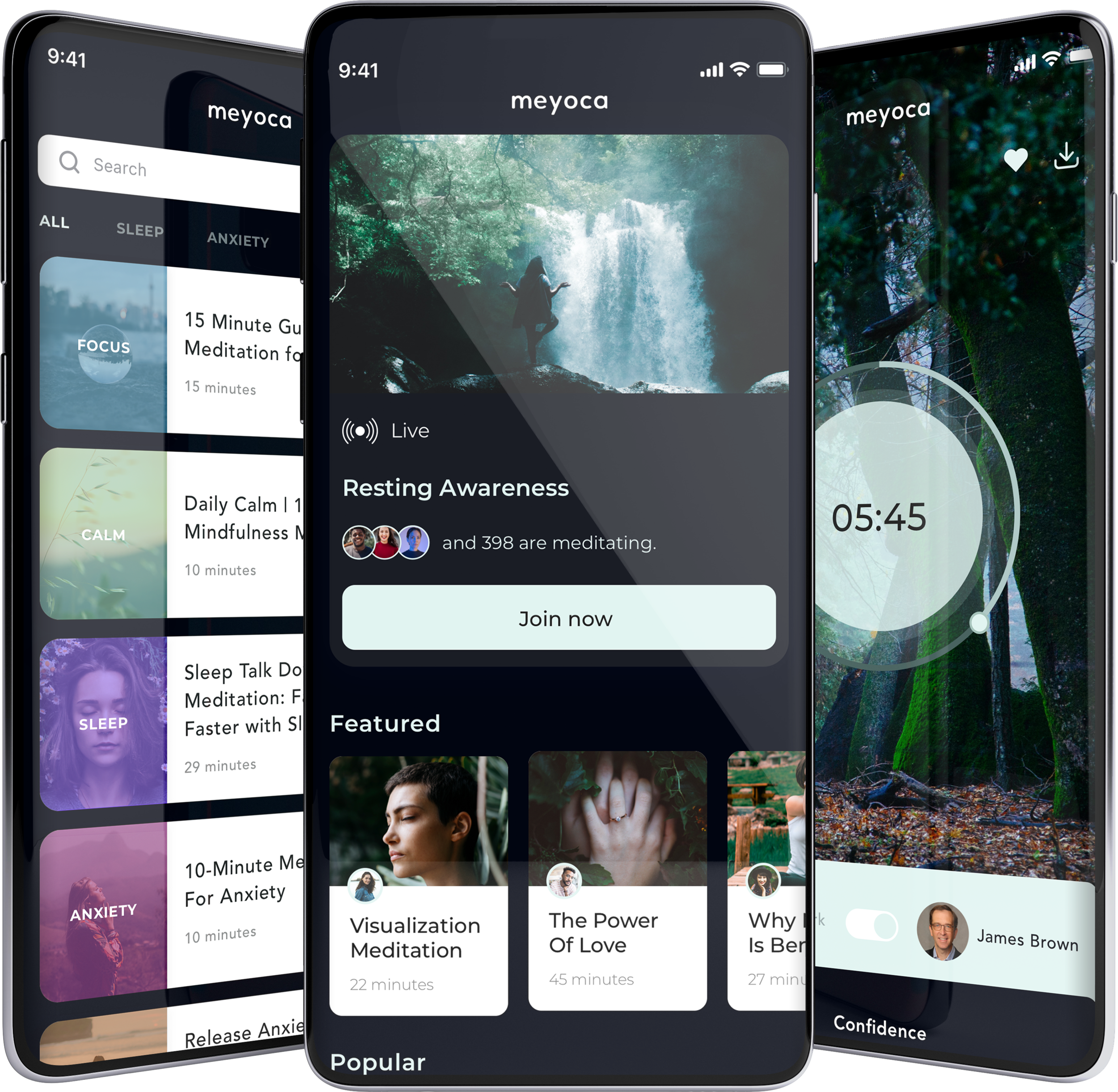
Meyoca is a meditation and wellness platform created to make mindfulness more accessible through a personalised digital experience. The goal was to move beyond traditional guided meditation by introducing intelligent features that help users build healthier habits, reduce stress, and create a more meaningful daily wellness routine.
As the product evolved, the focus shifted towards creating a more personalised experience tailored to individual needs, empowering users to develop consistent meditation practices through intuitive, engaging, and user-centred design.
Objectives
Design a meditation app with brand new features that will bring new way to meditate for people. Make sure it embeds well and smoothly with the meyoca branding.
Role
Lead Product Designer
Duration
6 months
Design Process
-
1. Research
• Competitive Analysis
• User Flow
• User Interview
-
2. Design
• Sketches
• Wireframes
• UI Kit
-

3. Prototype
• Hi-fi Prototype
• Usability Testing

1. Research
Research enables me to dig deep into my understanding of users - not only their immediate frustrations, but also their hopes, fears, abilities, limitations, reasoning, and goals. It lays essential foundations for creating solutions in later stages.
To ensure the research stays on track and better guide the meyoca app design later, it is important to create a research plan before diving into the research phase. I listed research goals, research questions, assumptions, methodologies, participants, and timeline in my research plan.
Research Goals
Understand the mental health and meditation, especially on the mobile end
Identify the target audience of meyoca
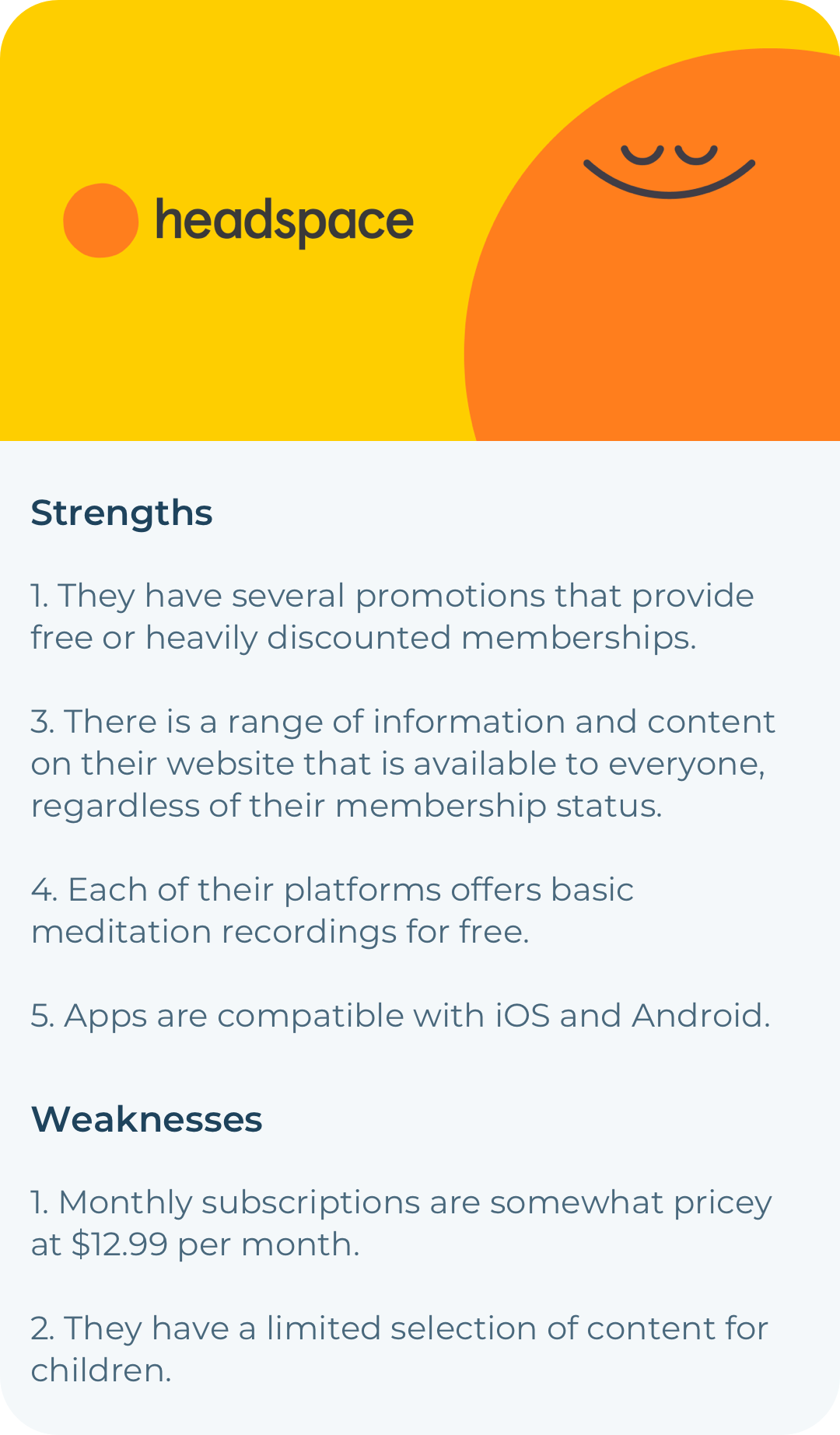
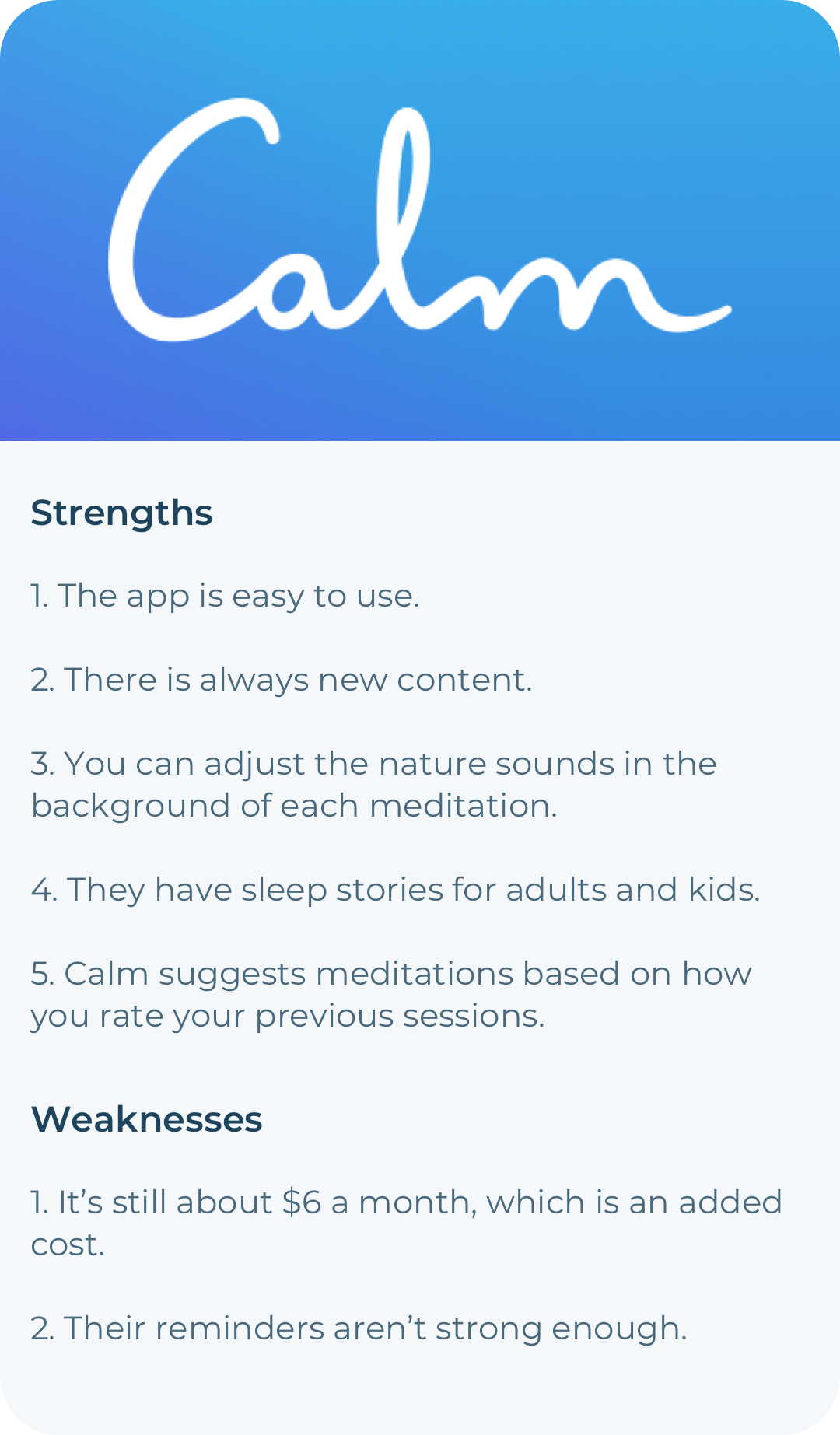
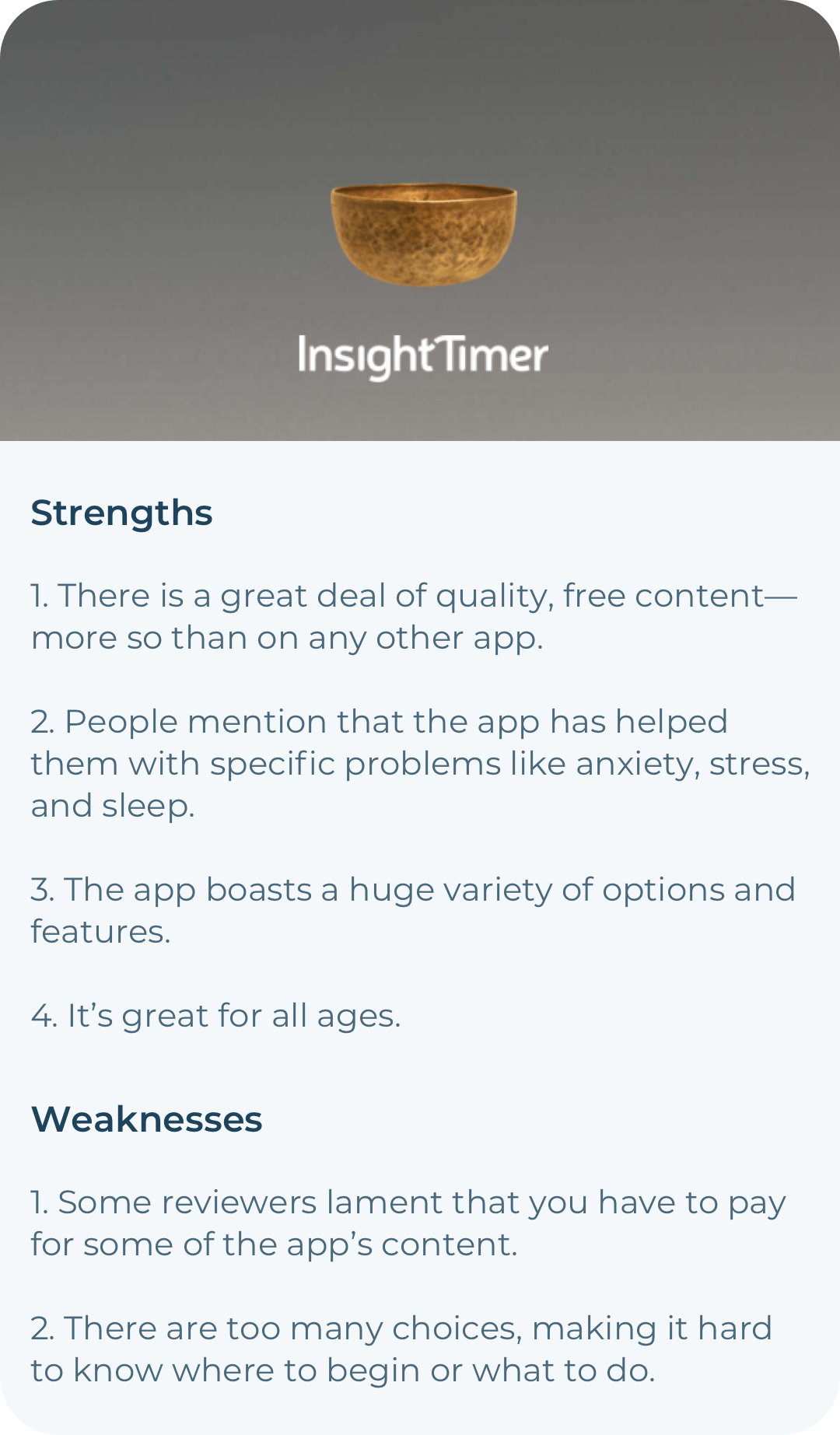
Learn about the main competitors of meyoca, as well as their strengths and weaknesses
Assumptions
meyoca users are millennials
meyoca users are people who care about mental health
meyoca users mainly use the app to meditate or do yoga
meyoca users use the app mainly by themselves
Methodologies
Primary Research (User Interview)
Secondary Research (Market Research, Competitive Analysis)
Competitors Research

Application Map
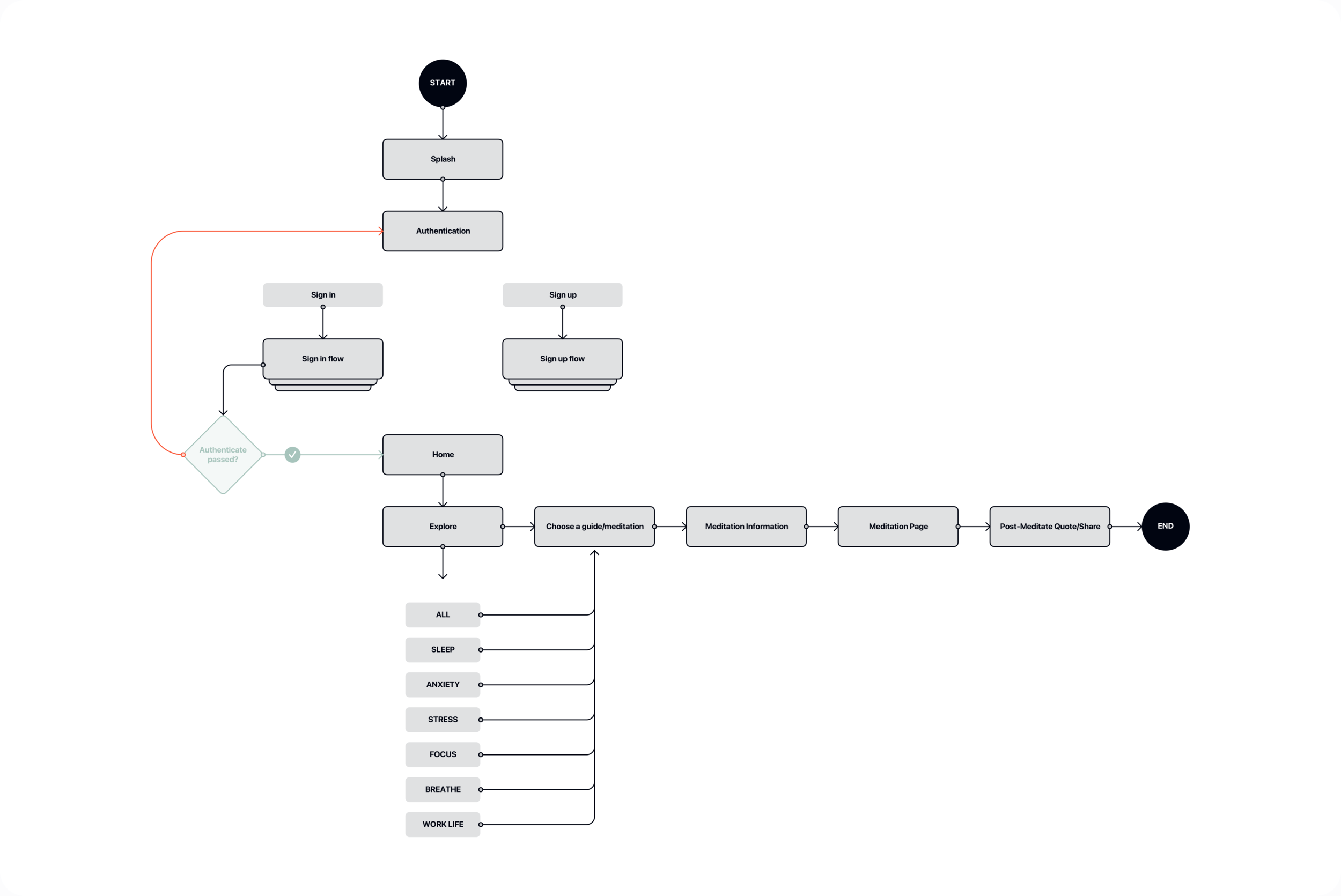
After finishing setting up the product goals and deciding what features to include in the app, I built up the structure of the potential app using the application map because an application map helps me to visualize the relationship between the content and examine the hierarchy.
User Interview
Building a real connection between users and getting insights from them, it is important to understand the market and the audience through primary research. That is why, I created an interview guide to facilitate the user interview process, with 11 open-ended questions listed to invite the participants to share their experiences with meditation/yoga apps they use. I set up a screening question to identify people that are potential users of meyoca. In total, I invited 6 participants (3 males, 3 females) to participate in the interview.
Assumptions Validated
meyoca users are people who care about mental health.
Validated. 6/6 users read about mental health almost every day.meyoca users mainly use the app to meditate or do yoga.
Validated. 5/6 users use health & fitness apps that helps them to stay positive and healthy.
meyoca users use the app mainly by themselves
Validated. 6/6 users uses meditation/yoga apps by themselves.
2. Design
I started design process with sketching so I can start to understand how all the data and information I’ve collected may come together.
Sketches
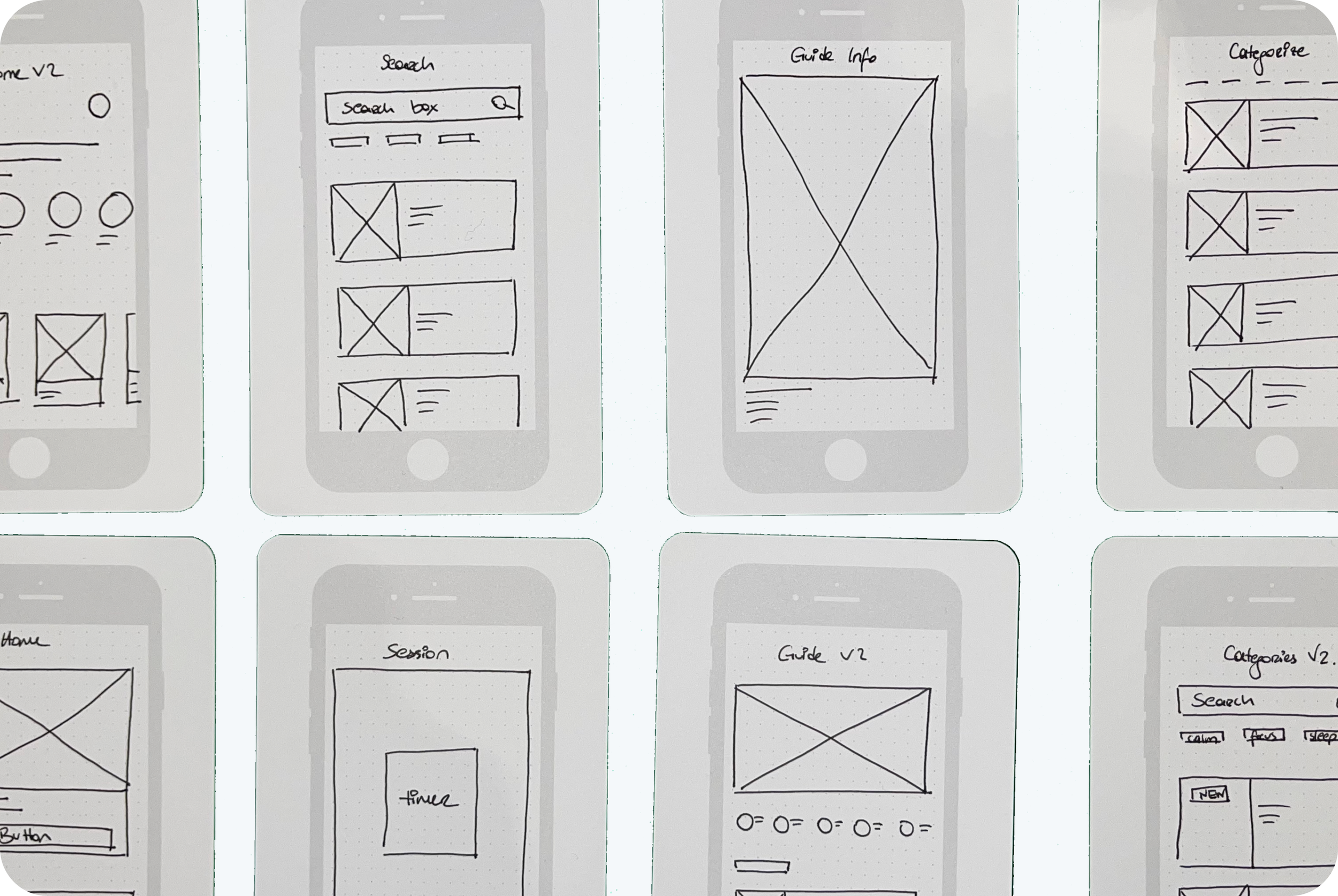
After gathering all the necessary information, I started sketching low-fidelity screens that help me to explore my ideas because, sketching helps discover potential issues and solutions early, prior to starting the design and development stages.
Wireframe & UI Design
Wireframing is an important communication tool in any web or app project. It gives the client, designer, and developer an opportunity to walk through the structure of the website without getting sidetracked by design elements such as colors, images, icons, etc.
Design System
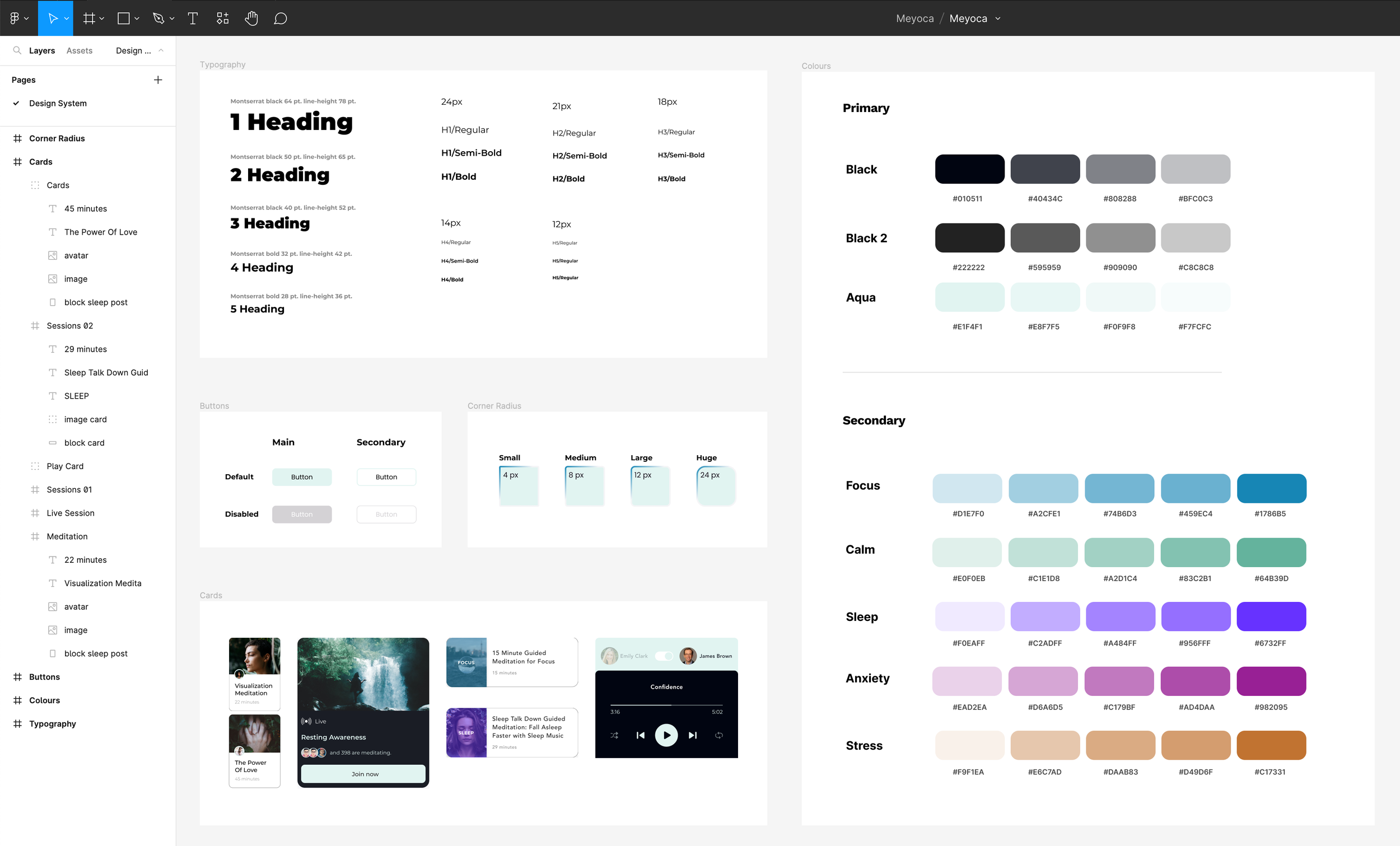
Design system is a compilation of existing UI elements on the website that provides references for future design and collaboration for the design team. It is also a living document and will be updated whenever there is an iteration of the design.
Sketches
After analyzing the data from the research, I started to create a visual guide. I started sketching low-fidelity screens. I find it easier to capture my ideas by pen and paper quickly by sketching. It also helps me to go through my ideas before digitizing them.
UI Design
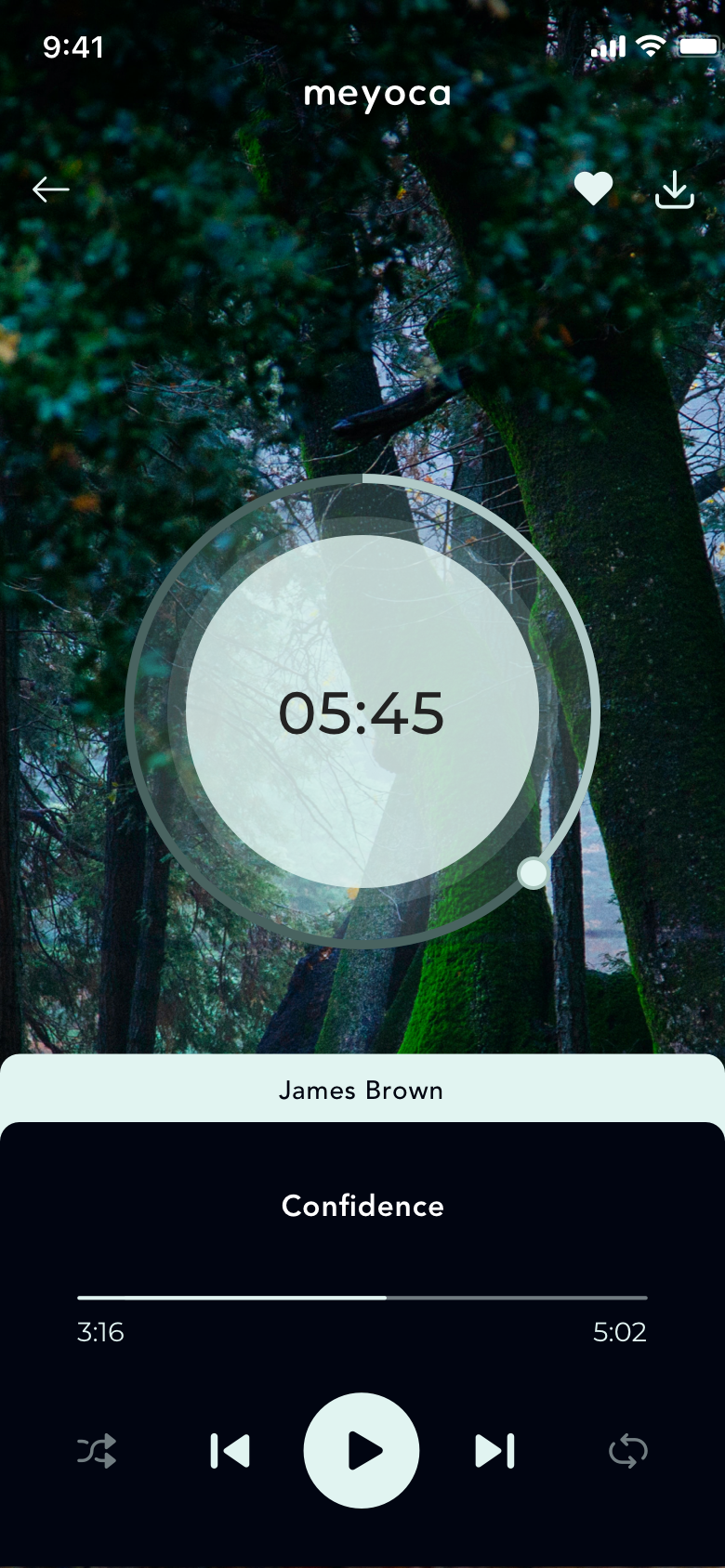
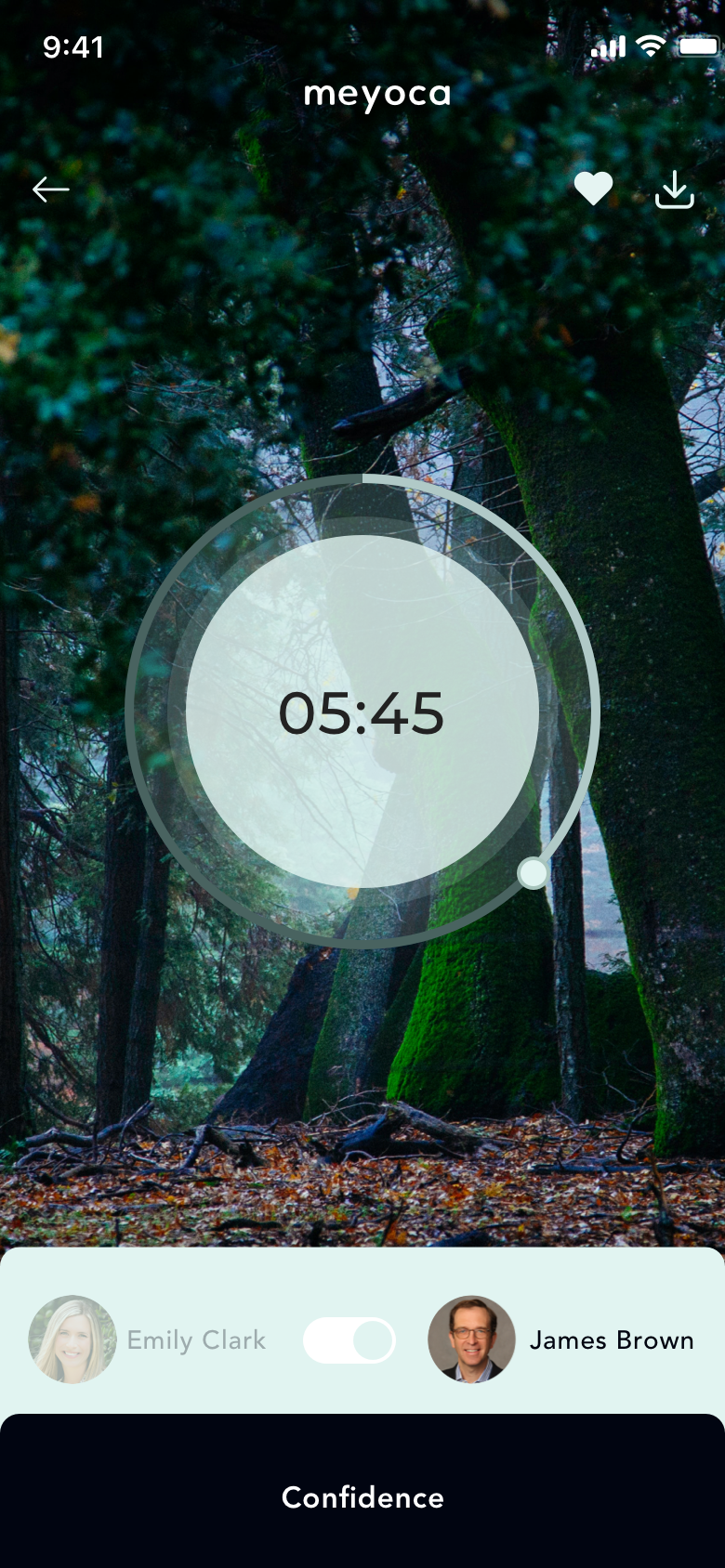
Once I had a visual direction of the layout, I started to add more details and precisions to the sketches by turning them into high-fidelity wireframes. Creating high-fidelity wireframes helps me focus on the visual consistency and hierarchy before applying styles.
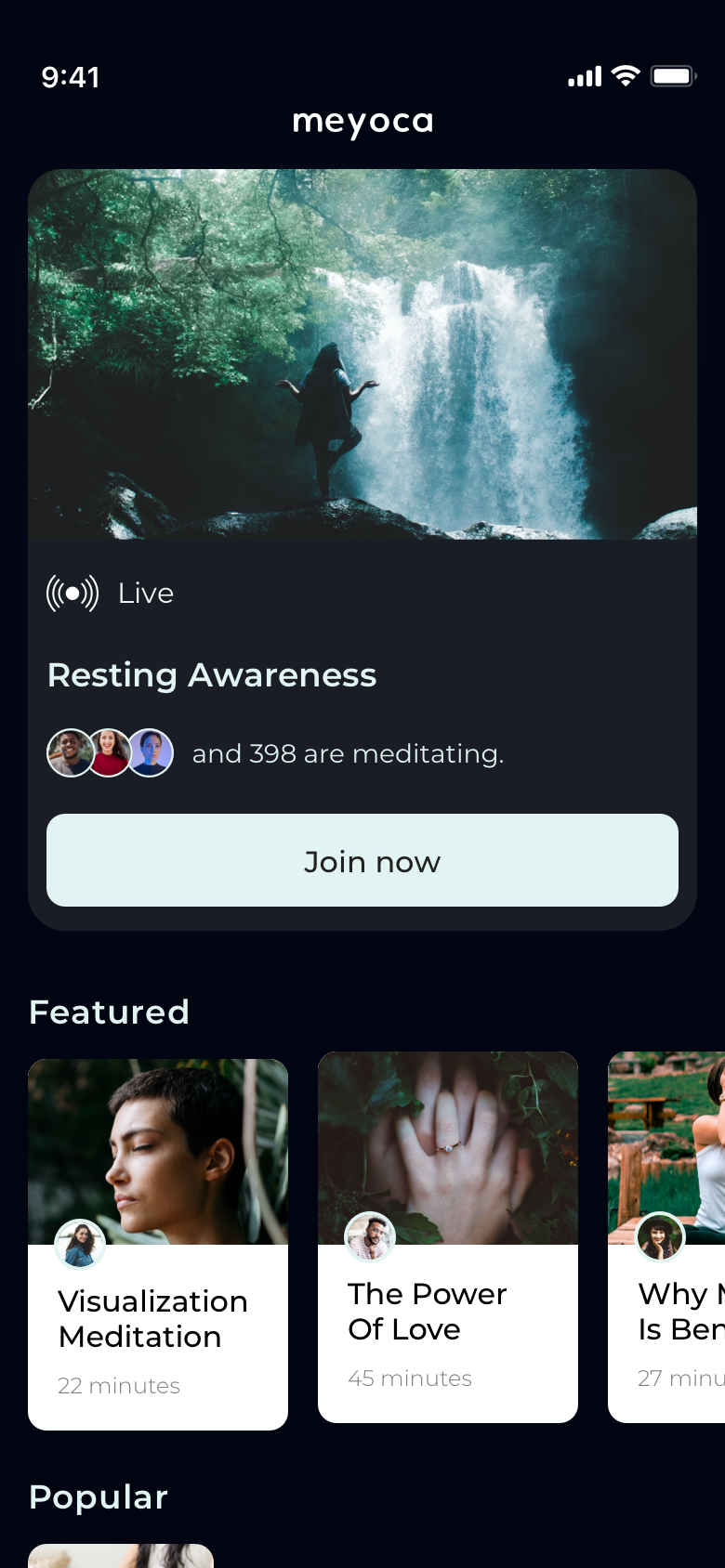
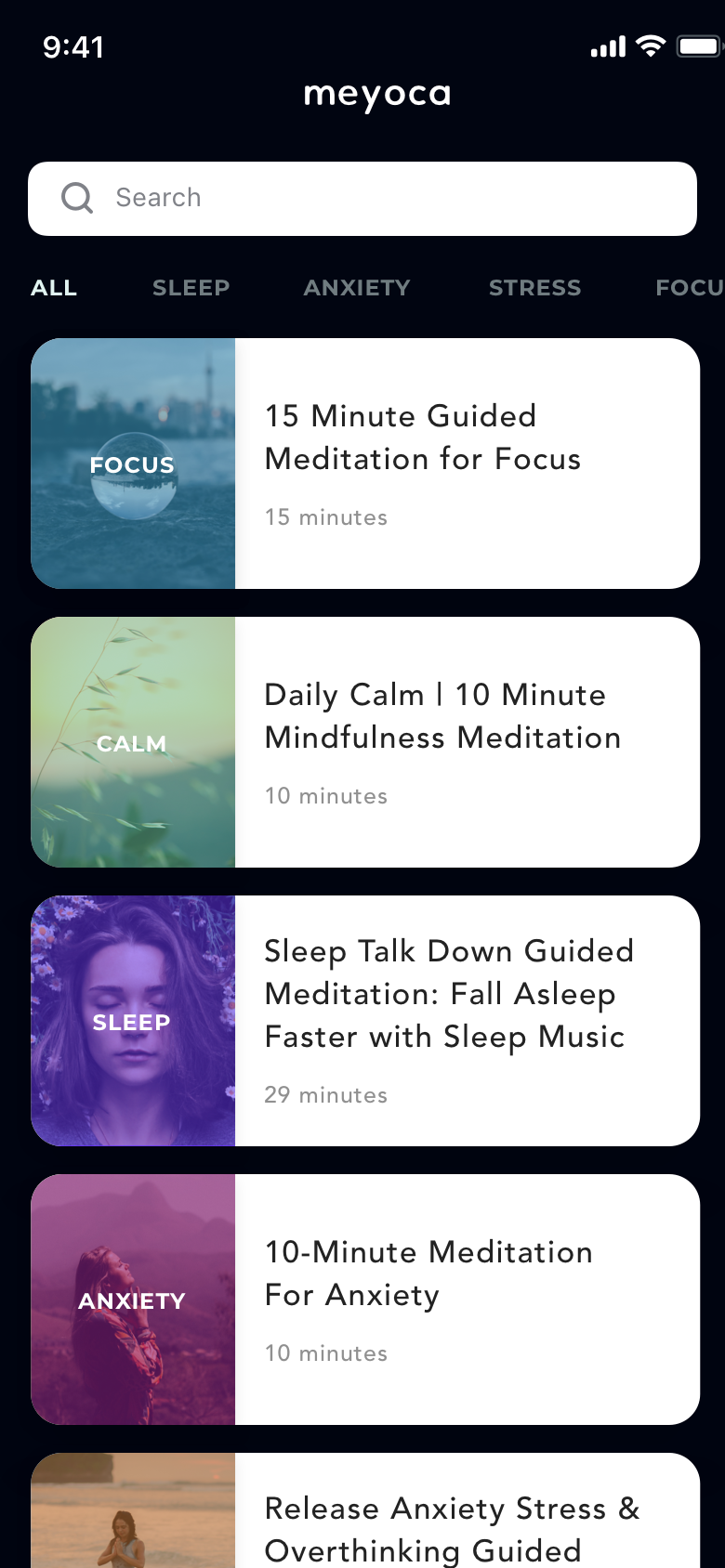
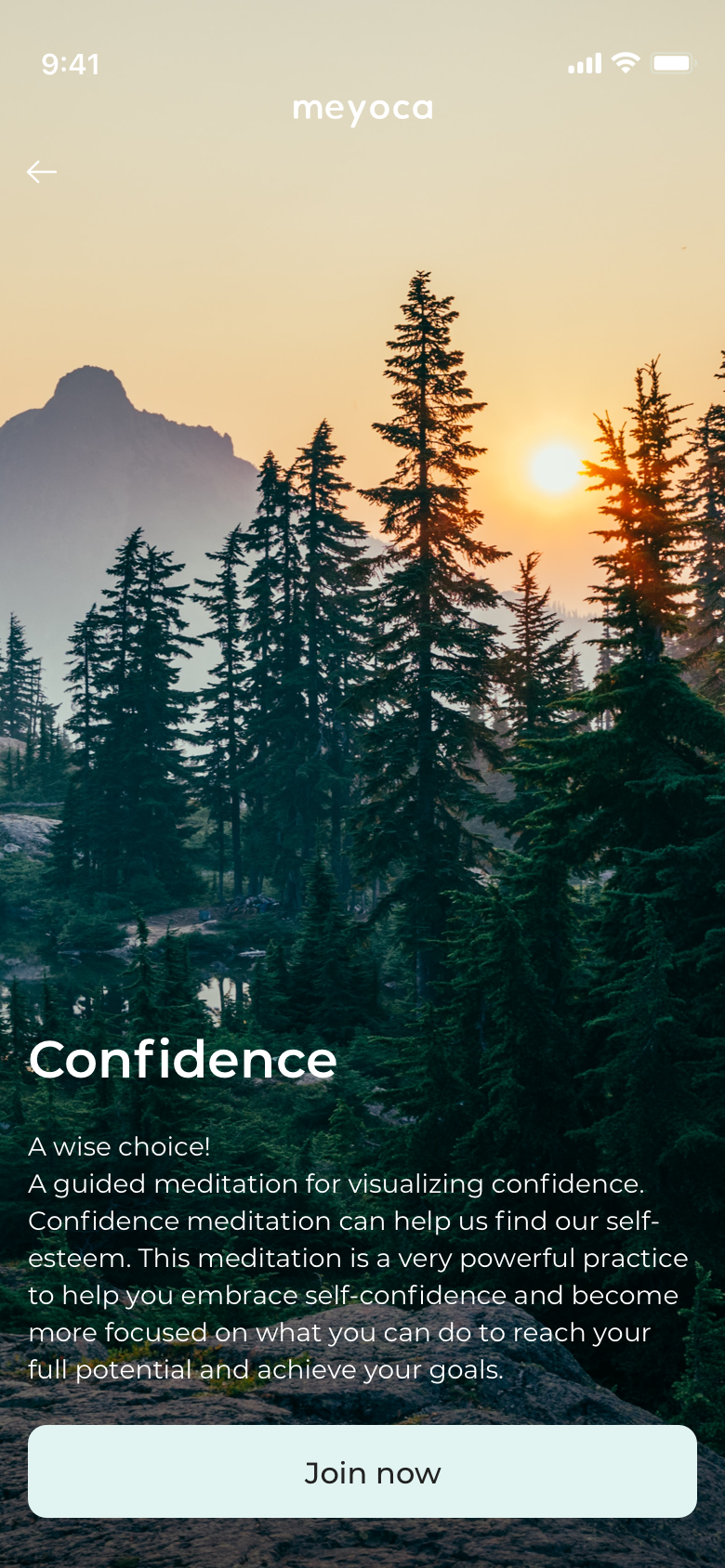
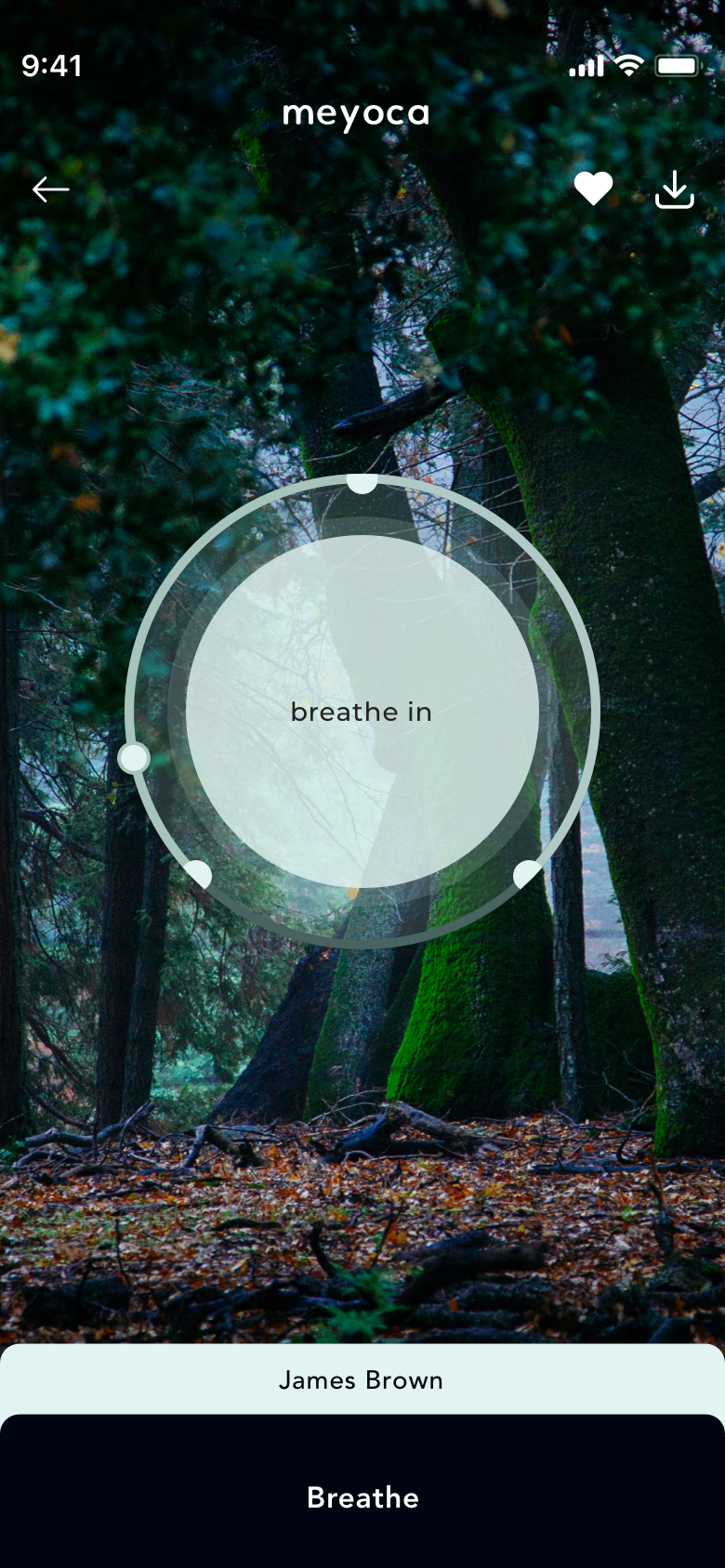
Design System
Design system is a compilation of existing UI elements on the website that provides references for future design and collaboration for the design team. It is also a living document and will be updated whenever there is an iteration of the design.
3. Prototype & Testing
High-Fidelity Prototype & User Testing
Pinpoint specific components to test: You can dive deep into a single component (like flow, visuals, engagement, or navigation) during user testing. This allows you to get detailed feedback on certain elements of the design that would not be possible with pen and paper.
High-Fidelity Prototype
After I finished designing screens that are necessary for users to complete the tasks, I linked those pages on Invision and created a high-fidelity prototype for usability testing. Conducting usability testing using a high-fidelity prototype is useful for detecting issues in information architecture and flows that generate frictions for users.
Tasks include:
Task 1: Categorize types of meditations.
Task 2: Change the narrator during sessions.
Task 3: See ‘‘Live Sessions’’ on home screen.
Usability Testing
Prepare for the Usability Testing
Before usability testing, it is important to set up test objectives, subject, methodology, and tasks for measuring the result of the testing before conducting a test.
I expect a 100% completion rate since all tasks are normal steps for meditating. I also expect a 90% error-free rate because the prototype is not fully completed.
Conduct Usability Testing
I conducted remote usability testing with 5 participants who live in Turkey then I created transcripts for each participant based on my observation of their interaction with the prototype. I noted their mistakes and the confusion they expressed during usability testing. This transcript is a perfect raw material for summarizing the patterns of the users’ interaction with the prototype.
Final Thoughts
Designing Meyoca was an opportunity to explore how thoughtful product design can positively influence people's wellbeing. By combining research, user-centred design, and iterative testing, I created an experience focused on reducing friction and encouraging healthy daily habits. Every design decision was grounded in user insights while supporting the long-term product vision.